logo

Live Production Software Forums


Welcome Guest! To enable all features please Login or Register.

Notification

Icon
Error

Options
Go to last post Go to first unread
Kotin  
#1 Posted : Saturday, March 21, 2026 4:09:54 AM(UTC)
Kotin

Rank: Member

Groups: Registered
Joined: 3/20/2026(UTC)
Posts: 11
United States
Location: Wilmington

Thanks: 2 times
VRC (Video Recording Control Hub)

πŸ“Ί Watch VRC Demo on YouTube
]

VRC is a centralized Windows application designed to remotely
MONITOR and CONTROL multiple vMix instances from a single dashboard.

The Problem It Solves
In professional live production, you rarely rely on a single machine.
You have one vMix PC for the main mix, another for instant replays, and a third for graphics.
Monitoring and controlling all of them simultaneously usually requires a large crew or constantly switching between KVMs.
This leads to missed cues, high stress, and potential on-air failures.

VRC turns any Windows tablet or laptop on your network into a Master Control Room.
Stop jumping between different computers to manage your broadcast.

Who is this for?

  • Solo Operators & Small Crews: Manage recording, streaming, and switching across multiple PCs without needing extra hands.
  • Esports Productions: Control complex multi-node setups from one central hub with precision timing.
  • Broadcast Engineers & Technical Directors: Prevent stream crashes and ruined recordings before they happen.


πŸ”₯ Key Features

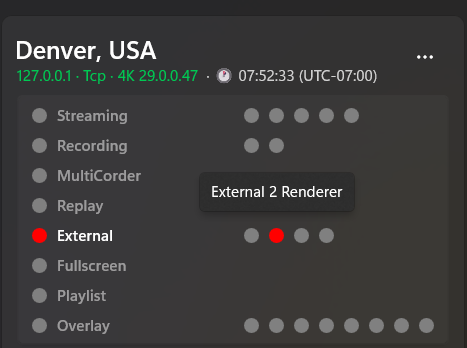
1. Global Dashboard & Control
Start, stop, and manage Recording, Streaming, External outputs, and Multicorder across all your vMix machines simultaneously.
Switch inputs, control audio levels, and manage playlists directly from VRC.
UserPostedImage

2. Deep PC Health Monitoring (WMI)
Track CPU/GPU usage and, crucially, remaining free disk space across all remote nodes in real-time.
You will know if a backup recording drive is full before the broadcast drops.
UserPostedImage

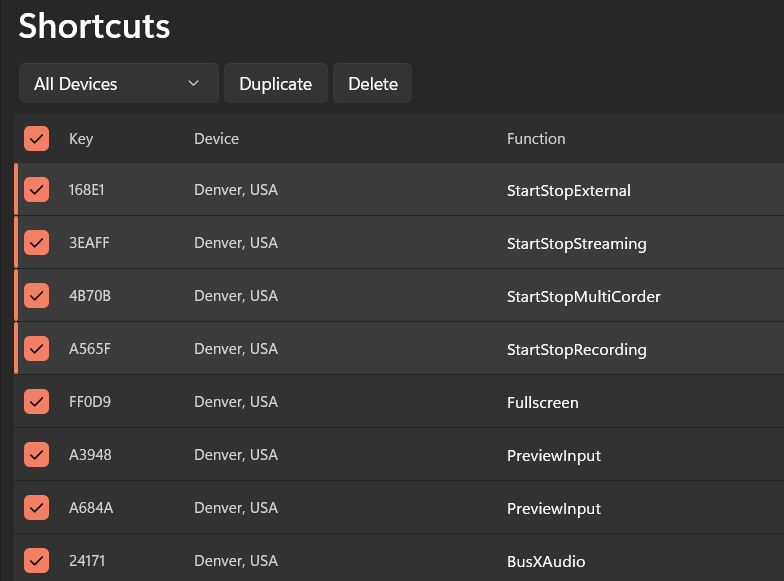
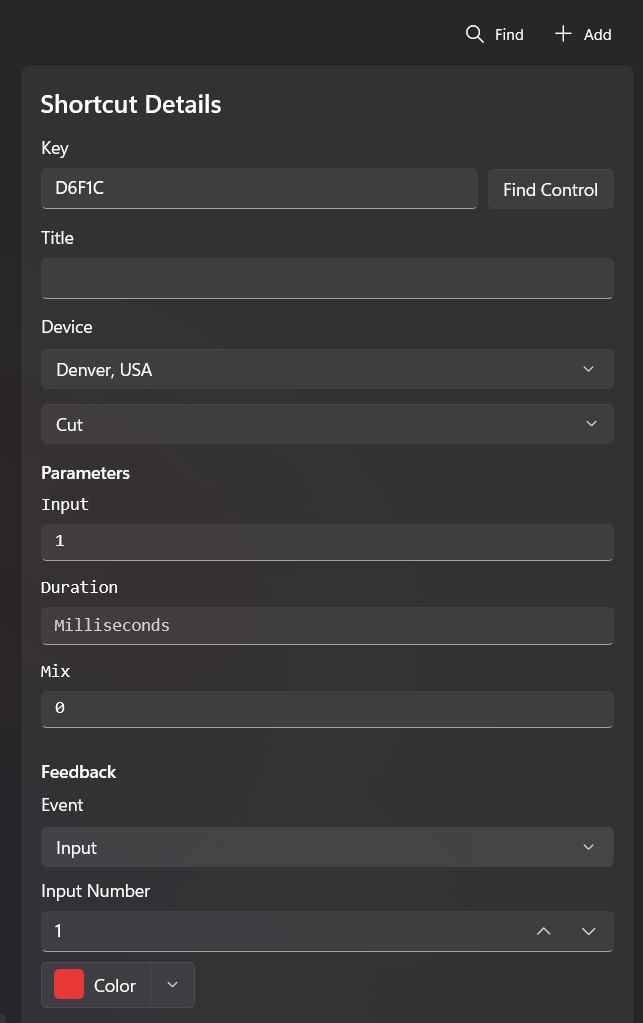
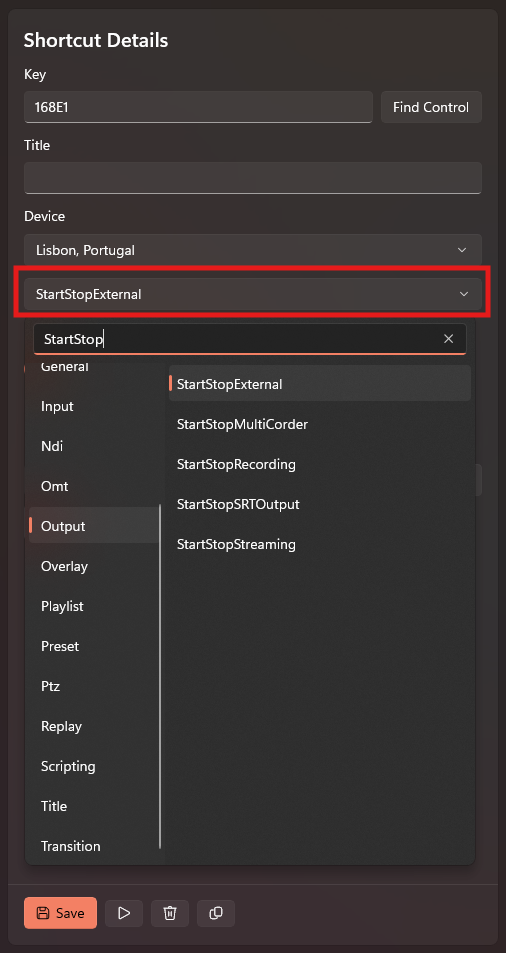
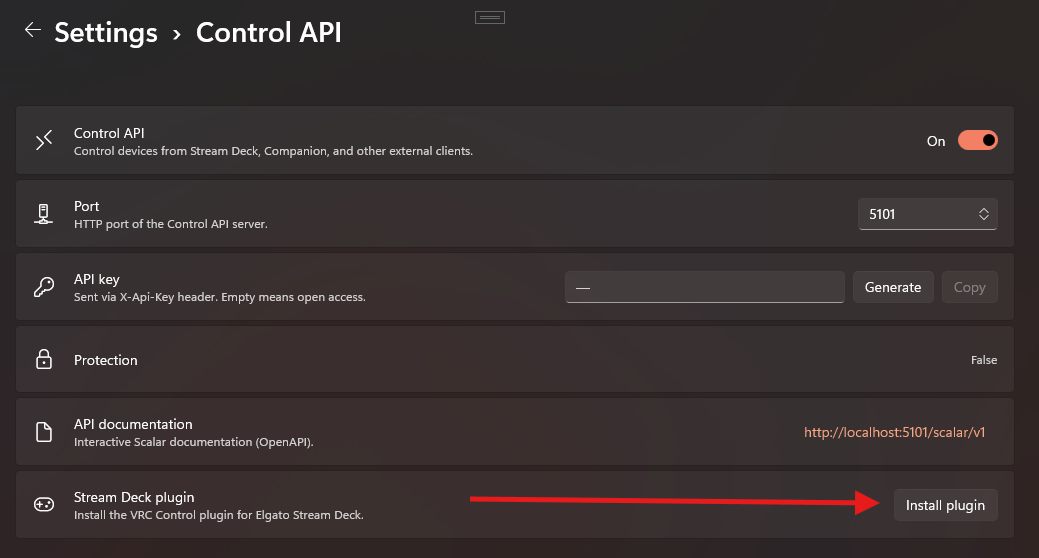
3. Native External Controller Integration (Stream Deck / Companion)
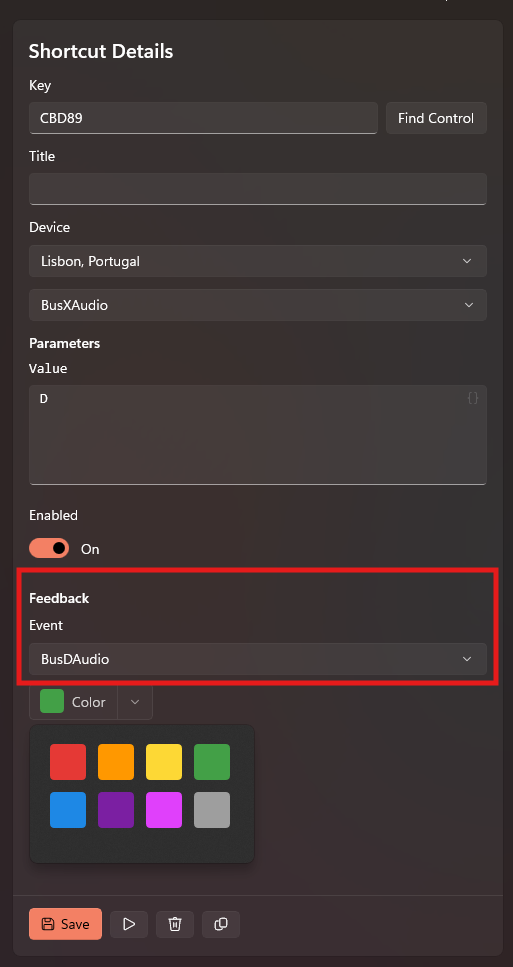
Bind your external controllers directly to VRC commands. VRC provides zero-delay visual feedback (Smart Tally) back to your controller.
The external device acts as a "thin client".
UserPostedImage

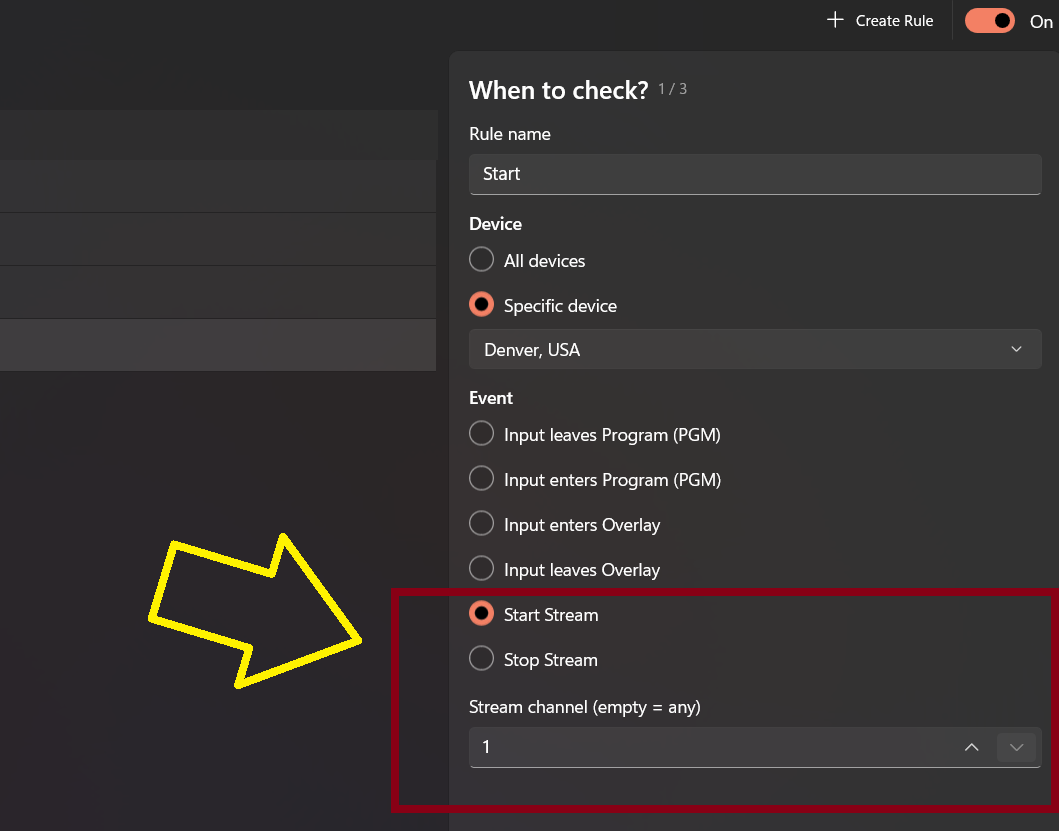
4. Smart Automation & Web Dashboard
Features a built-in Task Scheduler for delayed/recurring commands and a Web Dashboard for read-only tally monitoring from any smartphone or tablet on the local network.


Download & Documentation
You can download the latest release and read the full detailed user guide on GitHub:
πŸ‘‰ VRC GitHub Repository & Releases

πŸ›  Installation (Important!)
IMPORTANT: VRC is a locally signed .msix package.
You MUST install the included security certificate first, otherwise Windows will block the installation.


  1. Download and extract the .zip archive from the Releases page.
  2. Install the certificate: Right-click the `.cer` file -> Install -> Place it in "Local Machine" -> "Trusted People".
  3. Install Dependencies: Run the Windows App Runtime installer located in `Dependencies\x64`.
  4. Install VRC: Double-click the main VRC .msix file.

(A step-by-step image guide is included in the zip file).
Kotin  
#2 Posted : Sunday, March 22, 2026 2:19:25 AM(UTC)
Kotin

Rank: Member

Groups: Registered
Joined: 3/20/2026(UTC)
Posts: 11
United States
Location: Wilmington

Thanks: 2 times
Hi everyone,

I've just rolled out a new update for VRC. When managing multiple vMix nodes during a live broadcast, preventing accidental clicks is critical. But safety features shouldn't leave you guessing why your interface isn't responding.

We've overhauled the interaction logic for locked device cards.

πŸš€ What's New: Interactive Safety Lock
No more "silent" ignoring of your clicks. We've made the card locking system much more intuitive:


  • Visual Feedback: If you try to control a locked card, the Lock icon will now shake, showing you exactly why the command didn't go through.
  • Smart Hints: A helpful popup will guide you to click the lock icon if you're struggling to control the card (features a cooldown so it won't spam your screen).
  • Full Control: Don't like popups? Power users can disable them entirely via Settings -> Application -> Lock Hints.


UserPostedImage

πŸ›  Improvements

  • Better Synchronization: Reliable lock state syncing across all sections (Audio, Inputs, Status).
  • New Settings: Added a "kill switch" for educational hints.
  • Localization: Full support for both English.


You can grab the latest MSIX package from the GitHub Releases page. Let me know what you think!
vmix.api  
#3 Posted : Sunday, March 22, 2026 7:23:00 AM(UTC)
vmix.api

Rank: Newbie

Groups: Registered
Joined: 3/22/2026(UTC)
Posts: 1

Installed it on a test rig today. The UI is slick and the local WMI monitoring is great, no arguments there. But realistically, how does this hub scale? If I have 10 vMix nodes running across different subnets in a large facility, or even trying to control a remote instance over a VPN – what’s the latency like? Does VRC handle connection drops gracefully, or will the UI freeze up waiting for an API response? Curious to hear if anyone has stress-tested this beyond a simple local gigabit switch.
Kotin  
#4 Posted : Tuesday, March 24, 2026 2:16:49 AM(UTC)
Kotin

Rank: Member

Groups: Registered
Joined: 3/20/2026(UTC)
Posts: 11
United States
Location: Wilmington

Thanks: 2 times
VRC Update: v1.0.71.0 is available

Release Notes:

  • Fixed critical issues with the built-in auto-update mechanism.


Note: If you still encounter any errors during the in-app auto-update process, please send the log files from the application's logs folder for analysis.

Download the updated version (VRC_1.0.76.0_x64.zip):
Release v1.0.76.0 on GitHub

UserPostedImage
Kotin  
#5 Posted : Tuesday, March 31, 2026 9:32:49 PM(UTC)
Kotin

Rank: Member

Groups: Registered
Joined: 3/20/2026(UTC)
Posts: 11
United States
Location: Wilmington

Thanks: 2 times
Hi everyone, just wanted to share a really exciting update! πŸš€

A user from Argentina (Pablo Herrera) recently reached out and shared a photo of VRC Hub being actively used in the live production studios of DGO (DirecTV GO)!

UserPostedImage

The audio operator there is using VRC as a dedicated external dashboard to control audio gain and monitor SRT stream statuses independently, without needing to touch or clutter the main vMix vision mixer.

This was exactly my main goal when designing the UI β€” keeping it simple, lightweight, but giving you all the necessary controls at a glance. Seeing this tool running in a major broadcast environment is a massive motivation to keep pushing updates.

A big thank you to everyone in the community who has downloaded, tested, and provided feedback so far!

If anyone else is using VRC in their daily productions, I’d love to see your setups. Feel free to share your photos or drop any feature requests right here in the thread.

Cheers,
Aleksandr
Kotin  
#6 Posted : Saturday, April 11, 2026 1:32:56 AM(UTC)
Kotin

Rank: Member

Groups: Registered
Joined: 3/20/2026(UTC)
Posts: 11
United States
Location: Wilmington

Thanks: 2 times
πŸŽ›οΈ ATEM Switcher Support (New)

Full integration with Blackmagic ATEM hardware switchers, bringing VRC from a vMix-only tool to a true multi-device production hub.

UserPostedImage

πŸ‘‰ Download Release v1.0.77.0


ATEM Device Management

  • Add ATEM: Connect any Blackmagic ATEM switcher directly from the Dashboard command bar.
  • Auto-detection: Automatic identification of product names (e.g., 'ATEM Mini Extreme ISO', 'ATEM Television Studio HD8 ISO').
  • ICMP Probe: Verifies network reachability before saving (UDP-based protocol, no TCP listener).
  • Connection Lifecycle: Seamless Auto-Connect and Auto-Reconnect management.
  • Technical Stack: Communication via Blackmagic COM SDK on a dedicated STA thread (UDP port 9910).
  • Error Handling: Clear, localized error messages for common issues: missing ATEM Software Control, incompatible firmware, connection timeout, or COM errors.


ATEM Device Card
Real-time status and control card with up to 8 independent status indicators (availability depends on switcher model):


  • Streaming: Start/stop RTMP/SRT streaming with a live duration timer.
  • Recording: Start/stop USB disk recording with per-disk status ('Disk 1' / 'Disk 2') and Switch Disk action.
  • HyperDeck: Control recording on all connected HyperDecks. Per-deck status ('Record' / 'Stop' / 'Play') and bulk actions (Record All / Stop All).
  • Camera Recording: Trigger recording on Blackmagic cameras via SDI using SDI Camera Control Protocol v1.6.2 (VANC). Supports bulk Start/Stop All.
  • DSK: Toggle Downstream Keyers on-air individually with auto-transition support.
  • FTB: Fade to Black with per-M/E indicators, rate control, and 'FullyBlack' status.
  • M/E Control: Trigger transitions ('Cut' / 'Auto') with Program/Preview input display and transition position tracking.
  • Info: Displays current video mode (e.g., '1080p50', '2160p30') and live timecode.


ATEM Inputs Control

  • Tally Support: Paginated list of external inputs with real-time tally indicators (πŸ”΄ Program, 🟒 Preview).
  • Quick Actions: Per-input Program, Preview, Cut, and Auto transition triggers.


ATEM Command Catalog (Scheduler & Shortcuts)
Full command catalog with 8 categories for Task Scheduler and Shortcuts:
Mix Effect, Fade to Black, Downstream Key, Camera Control, HyperDeck, Streaming, Recording, Timecode.

ATEM Feedback Events (Shortcuts)
Support for external controller feedback:

  • Global: 'Streaming', 'Recording', 'FadeToBlack', 'Transition', 'DSKOnAir'.
  • Input-bound: 'InputProgram', 'InputPreview'.
  • HyperDeck: 'HyperDeckRecord', 'HyperDeckPlay'.


ATEM Notifications
Windows Toast notifications for critical state changes: Streaming, Recording (Disk), Recording (HyperDeck), DSK, Timecode.

πŸ› Bug Fixes

  • Fixed: Device card positions are now correctly preserved after application restart. Previously, cards could reorder or lose positions upon relaunch.
  • Fixed: Input tooltips now update correctly in real-time, reflecting the current state without requiring a manual refresh.
Users browsing this topic
Guest
Forum Jump  
You cannot post new topics in this forum.
You cannot reply to topics in this forum.
You cannot delete your posts in this forum.
You cannot edit your posts in this forum.
You cannot create polls in this forum.
You cannot vote in polls in this forum.