vMix Forums
»
General
»
Feature Requests
»
Single-click and double-click features in MultiView
Rank: Advanced Member
Groups: Registered
Joined: 6/11/2012(UTC) Posts: 41  Location: jakarta Thanks: 35 times
Was thanked: 12 time(s) in 7 post(s)
|
Hello, greetings to everyone. I would like to submit a few feature requests for this forum regarding the "Customise Layout MultiView" function. I have included an image below. 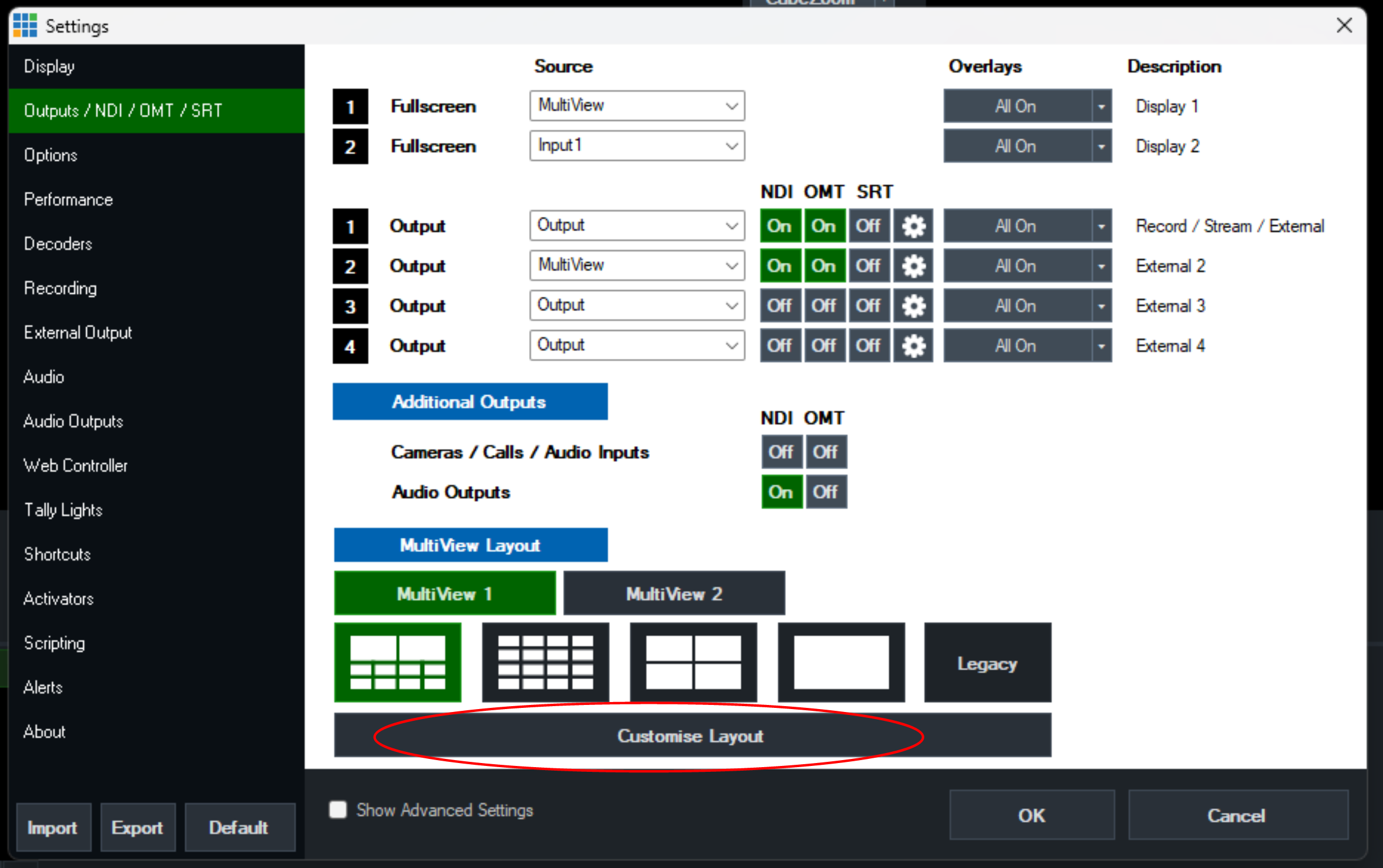 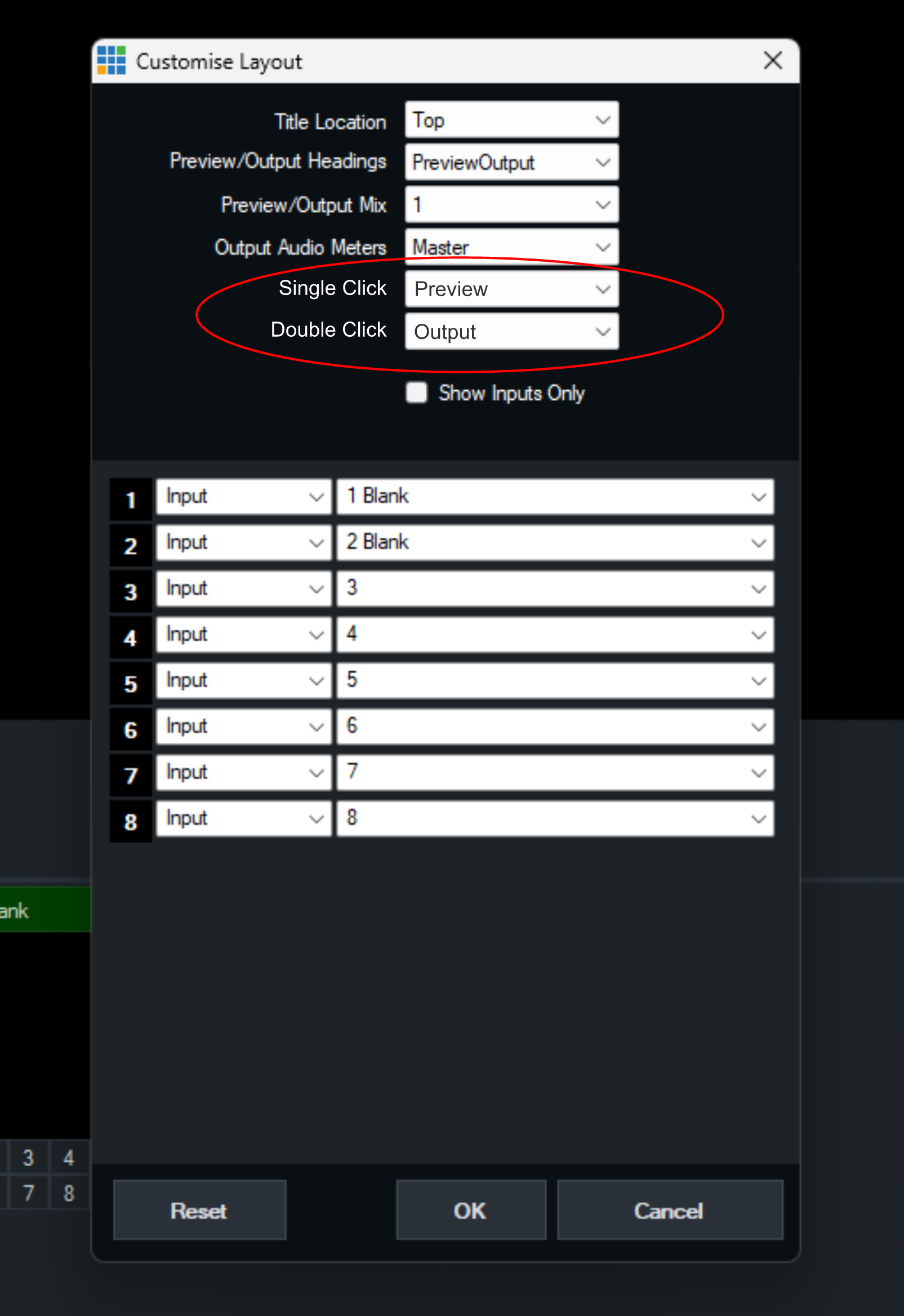 Based on the image, perhaps the developers could add "Single Click" and "Double Click" functionality. This would be extremely useful when using a multi-monitor setup (dual or triple displays). It would be particularly beneficial if a touchscreen monitor is used for the MultiView interface. My vision is that a single tap on an input within the MultiView would bring it into the preview, while a double-tap would trigger a "QuickPlay" or "GO" action, sending that input directly to the output. I hope this feature can be included in a future update. Best regards,
|
|
|
|
|
|
Rank: Advanced Member
Groups: Registered
Joined: 2/23/2019(UTC)
Posts: 670
Thanks: 64 times
Was thanked: 159 time(s) in 143 post(s)
|
Originally Posted by: kayllastudio  Hello, greetings to everyone.
I would like to submit a few feature requests for this forum regarding the "Customise Layout MultiView" function. I have included an image below.
Based on the image, perhaps the developers could add "Single Click" and "Double Click" functionality. This would be extremely useful when using a multi-monitor setup (dual or triple displays). It would be particularly beneficial if a touchscreen monitor is used for the MultiView interface. My vision is that a single tap on an input within the MultiView would bring it into the preview, while a double-tap would trigger a "QuickPlay" or "GO" action, sending that input directly to the output.
I hope this feature can be included in a future update.
Best regards, The screenshot looks like you are using an older version of vMix. The vMix Telestrator allows at least the Preview part of the request: https://www.vmix.com/help29/Telestrator.htmlQuote:
Telestrator MultiView
Clicking/tapping on the Telestrator MultiView to select an Input into preview, is possible when the following is configured:
1. The Output assigned to the Telestrator is set to MultiView1 or MultiView2
2. Enable Click to select Input is enabled in the MultiView "Customise Layout" settings
3. Drawing: On button is set to Drawing: Off
|
|
|
|
|
|
Rank: Advanced Member
Groups: Registered
Joined: 6/11/2012(UTC) Posts: 41 Location: jakarta Thanks: 35 times
Was thanked: 12 time(s) in 7 post(s)
|
Thank you for your response.
I am using vMix 29. I have also tried the Telestrator feature within the MultiView—it is very useful.
However, it would be great if a single/double-click feature could be added to the MultiView. While this might not be essential for most vMix users, for me, it would significantly streamline my workflow when using multiple monitors—especially when utilizing a touchscreen monitor for the MultiView display.
|
|
|
|
|
|
vMix Forums
»
General
»
Feature Requests
»
Single-click and double-click features in MultiView
Forum Jump
You cannot post new topics in this forum.
You cannot reply to topics in this forum.
You cannot delete your posts in this forum.
You cannot edit your posts in this forum.
You cannot create polls in this forum.
You cannot vote in polls in this forum.
Important Information:
The vMix Forums uses cookies. By continuing to browse this site, you are agreeing to our use of cookies.
More Details
Close